What is access point
An access point (AP) is a networking hardware device that allows Wi-Fi-enabled devices to connect to a wired network. It acts as a bridge between the wired network and the wireless network, transmitting data between the two. Access points are commonly used in public Wi-Fi networks, such as in airports, hotels, and coffee shops, as well as in private networks, such as in homes and businesses. They typically operate using the 802.11 wireless networking standards, which include Wi-Fi 4 (802.11n), Wi-Fi 5 (802.11ac), and Wi-Fi 6 (802.11ax). Access points can be standalone devices or integrated into other networking hardware, such as routers or switches.
Difference between IoT and Access Point
IoT refers to a system of interconnected physical devices, vehicles, home appliances, and other items that are embedded with sensors, software, and network connectivity. These devices are designed to collect and exchange data with each other or a central server over the internet. IoT technology enables the automation of tasks and the creation of new services that were previously not possible. For example, an IoT-enabled home security system may use motion sensors, cameras, and smart locks to monitor a property, alert homeowners of any suspicious activity, and allow remote access control via a smartphone app.
On the other hand, an access point is a networking device that provides wireless connectivity to devices such as laptops, smartphones, and tablets. Access points act as a bridge between a wired network (e.g., a local area network) and wireless devices, allowing these devices to access the network without the need for a physical connection. Access points are commonly used in public and private Wi-Fi networks to provide wireless connectivity to users. For example, an access point in a coffee shop allows customers to connect their laptops or mobile devices to the internet without requiring a physical connection.
While both IoT and access points may use wireless connectivity to enable their functionality, they are fundamentally different concepts. IoT involves the interconnection of physical devices, while access points provide wireless connectivity to devices that are already connected to a network. Additionally, IoT devices typically have their own networking capabilities and may communicate with other devices directly, while access points simply provide a wireless connection to a wired network.
In summary, IoT and access points are two different concepts in networking. IoT involves the interconnection of physical devices over the internet, while an access point provides wireless connectivity to devices that are already connected to a network. While there may be some overlap in terms of the use of wireless connectivity, they are fundamentally different concepts.
IoT platforms
An IoT platform is a software solution that enables businesses to connect and manage IoT devices, collect and analyze data from those devices, and use that data to drive insights and business outcomes. IoT platforms are typically designed to be flexible and scalable, allowing businesses to deploy and manage IoT solutions across a wide range of use cases and industries.
An IoT platform typically consists of several components, including:
Device Management: This component allows businesses to manage and control the IoT devices connected to the platform. It includes features such as device registration, authentication, and provisioning, as well as firmware and software updates, device configuration, and remote device control.
Connectivity Management: This component provides the communication infrastructure for the IoT devices to transmit data to and from the platform. It includes protocols and technologies such as cellular, Wi-Fi, Bluetooth, and LoRaWAN, and may include features such as data routing, message queuing, and security.
Data Management: This component enables businesses to collect, store, and manage the data generated by the IoT devices connected to the platform. It includes features such as data ingestion, transformation, storage, and retrieval, as well as data security, privacy, and compliance.
Analytics and Insights: This component enables businesses to derive value from the data generated by the IoT devices connected to the platform. It includes features such as data visualization, dashboards, and reporting, as well as machine learning and artificial intelligence capabilities for predictive and prescriptive analytics.
Integration: This component enables businesses to integrate the IoT platform with other enterprise systems and applications, such as ERP, CRM, and SCM systems. It includes features such as APIs, connectors, and middleware for data integration and orchestration.
Application Development: This component enables businesses to develop custom applications and services on top of the IoT platform. It includes features such as software development kits (SDKs), APIs, and development tools for building, testing, and deploying IoT applications.
Some of the example for basic IoT platform are Arduino IoT cloud, Blynk IoT, thingsSpeak or you can create your own database for IoT.
Setting up ESP8266/ESP32 to IoT
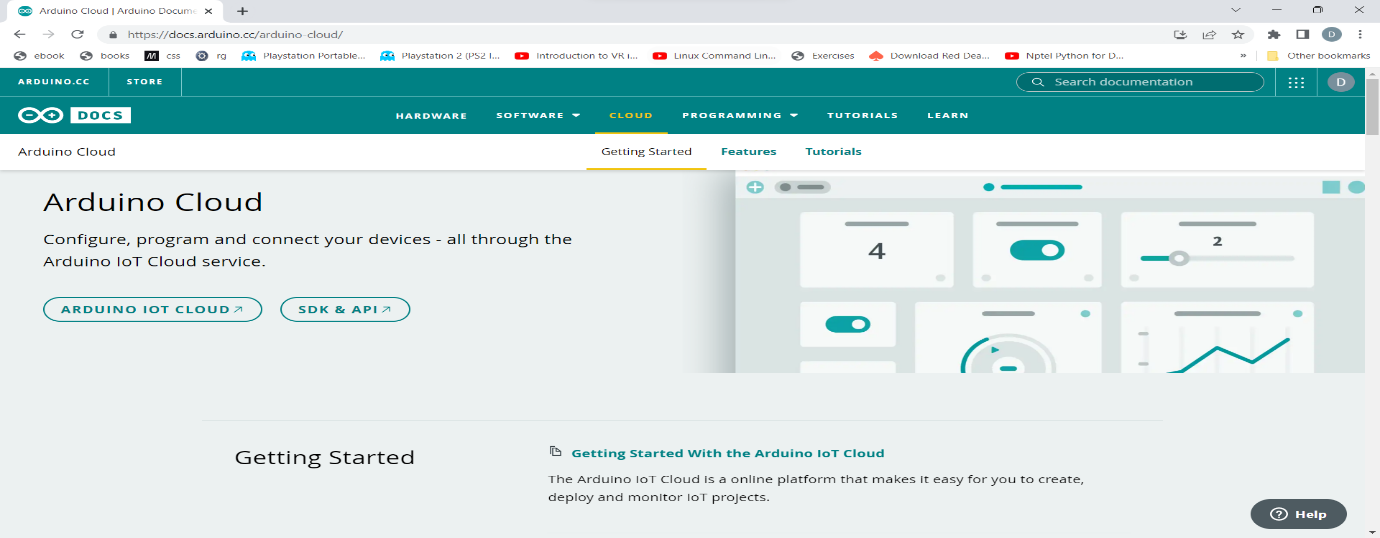
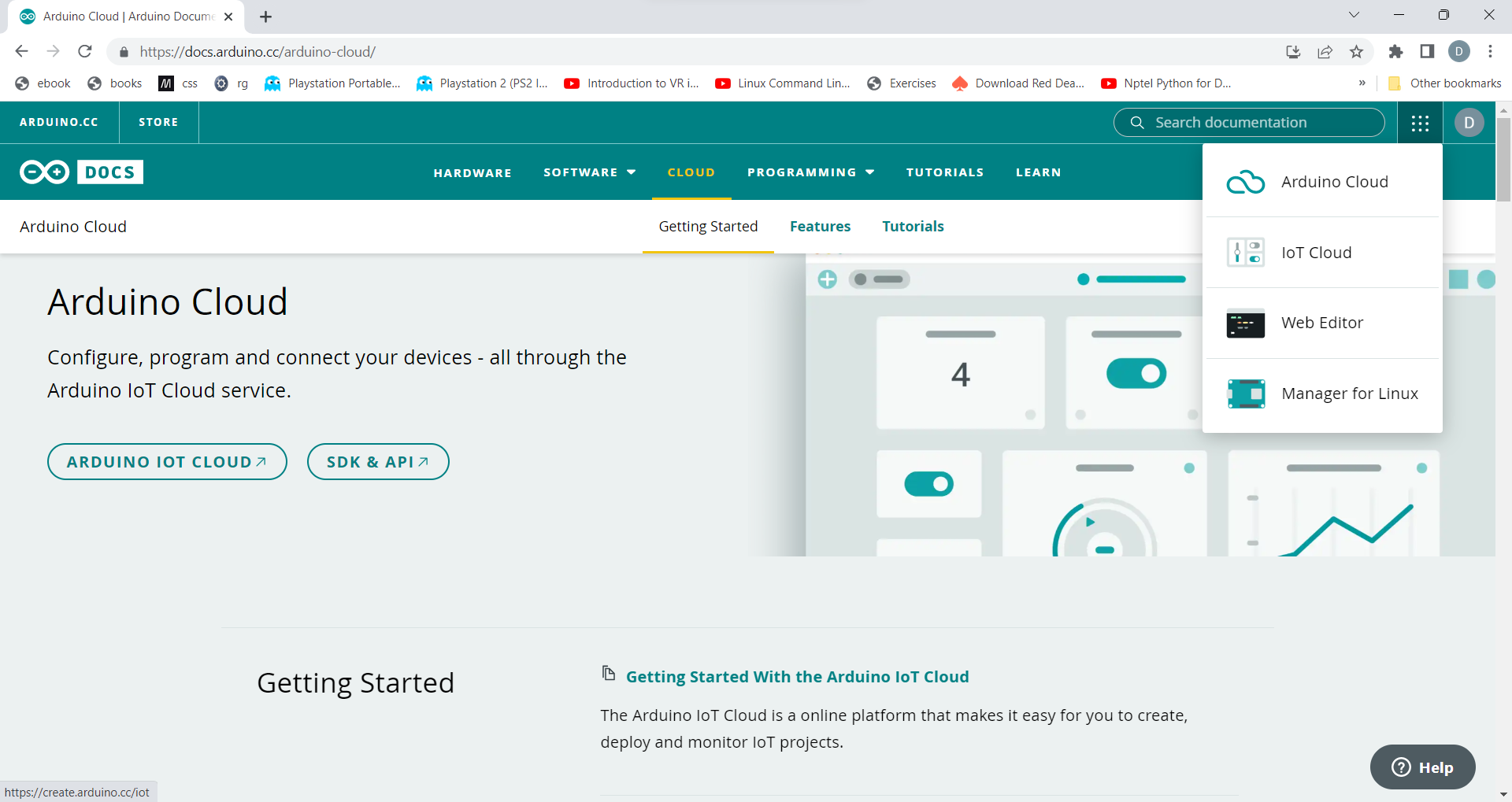
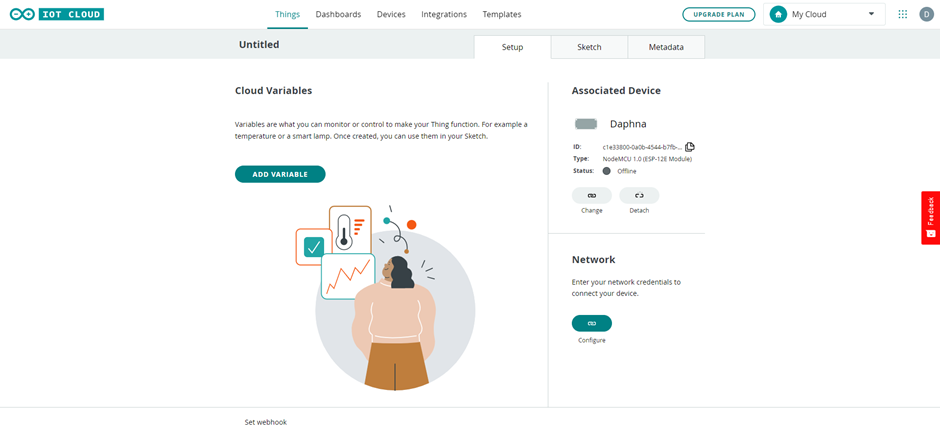
Step 1: Open Arduino IoT cloud and create your account in Arduino IoT cloud.
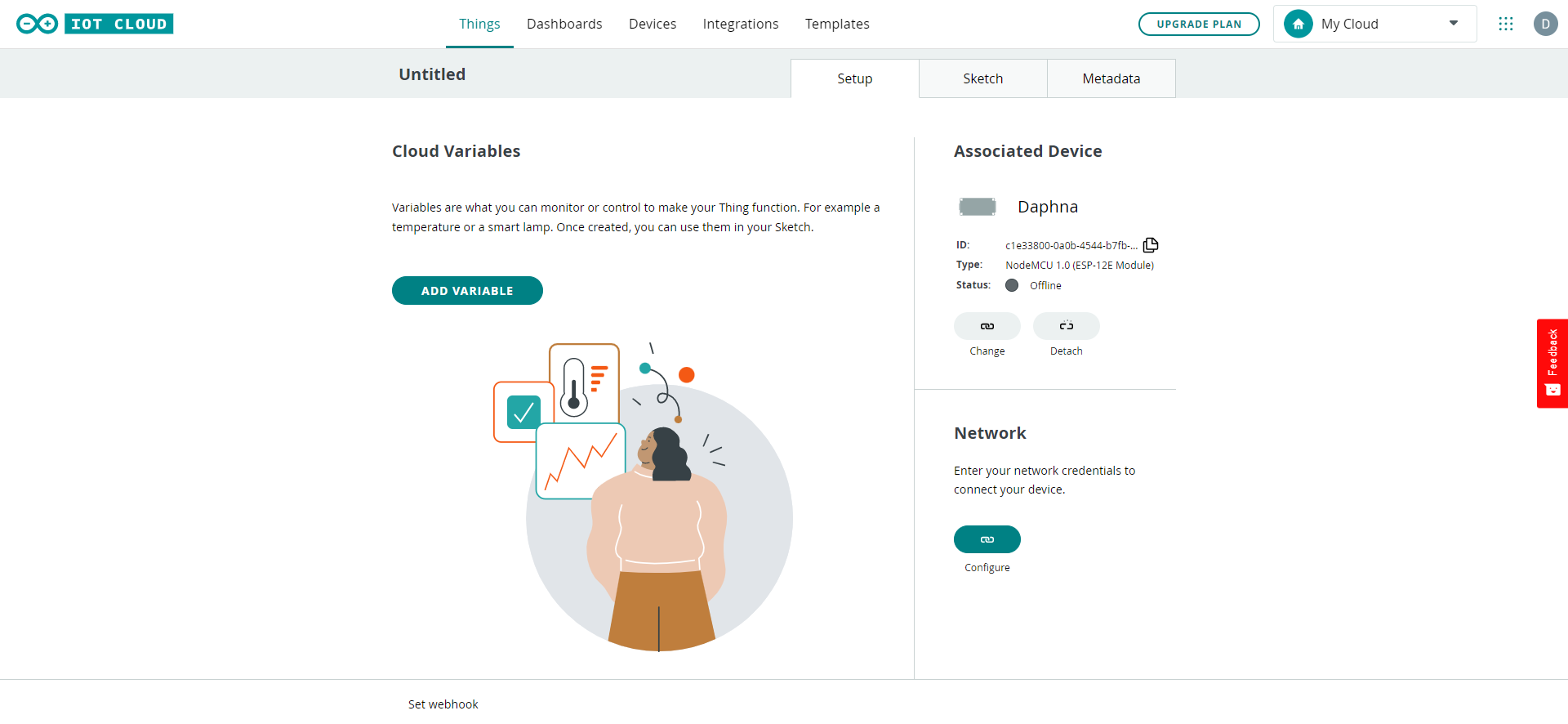
Step 2: Click on IoT cloud and open the IoT cloud console
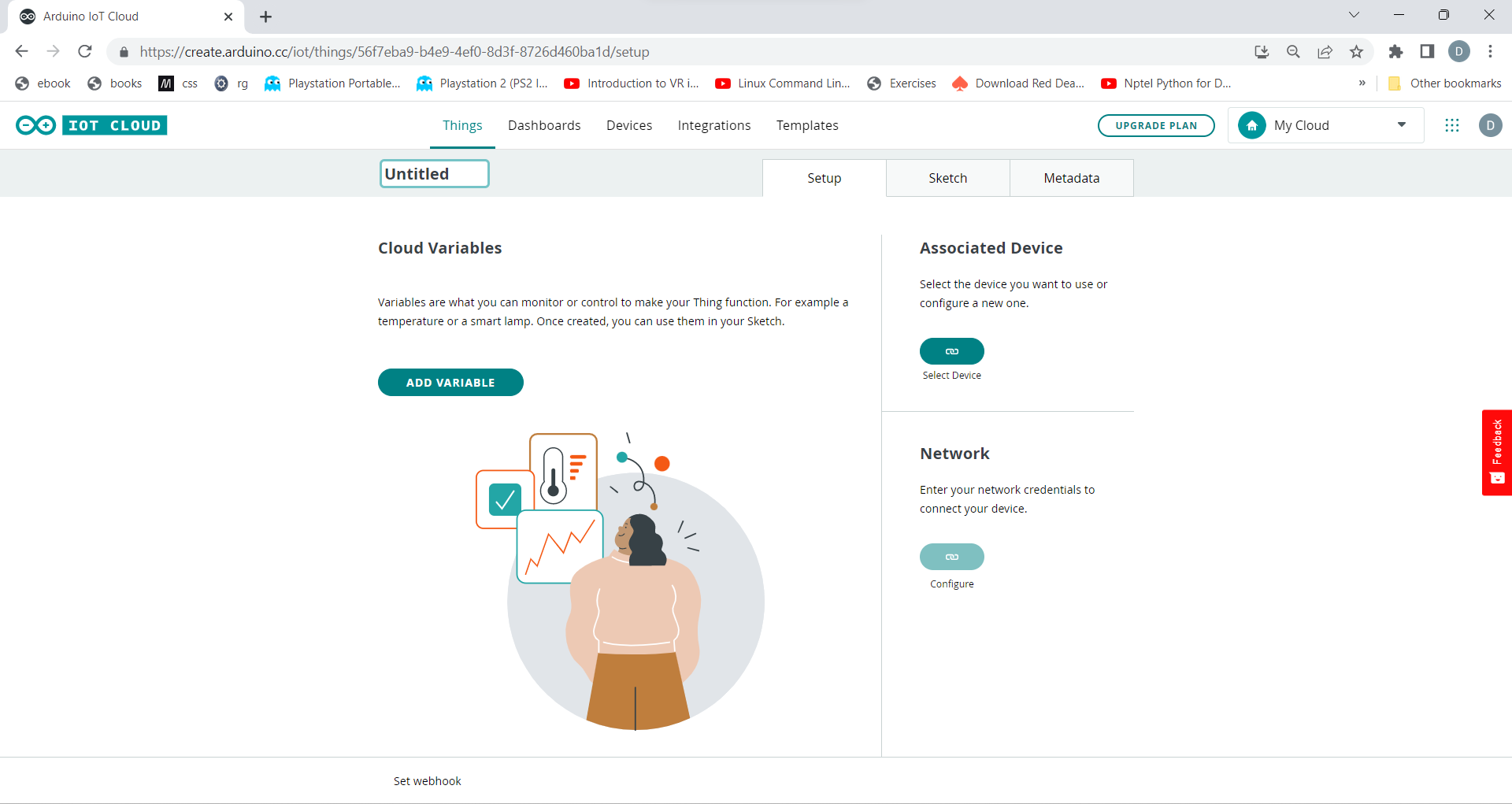
Step 3: Click on create things and create a new thing.
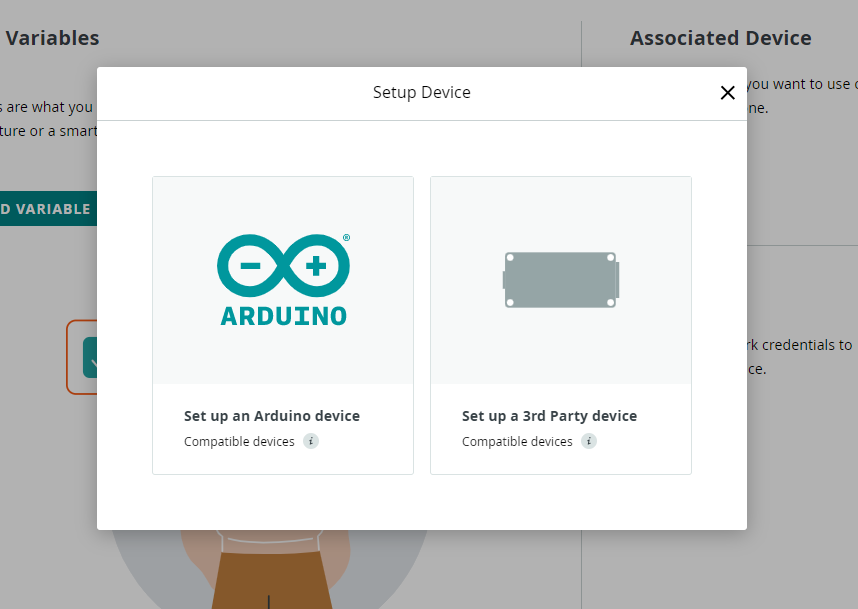
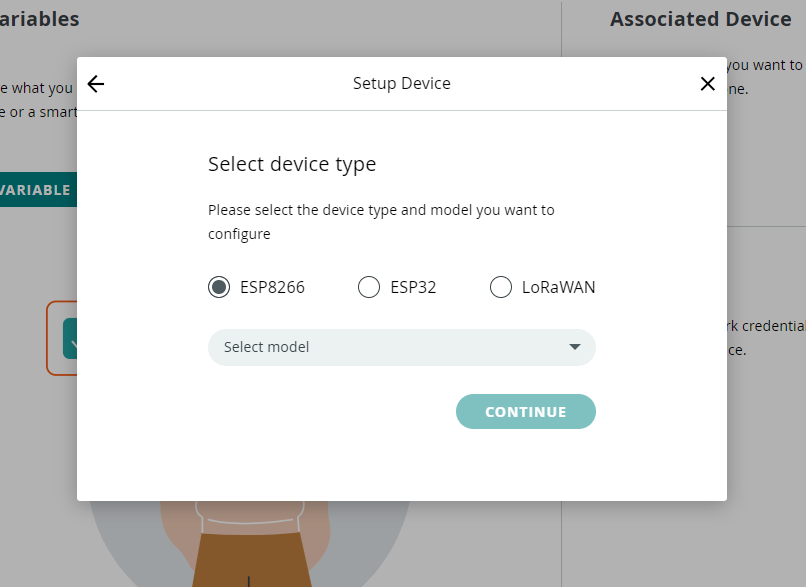
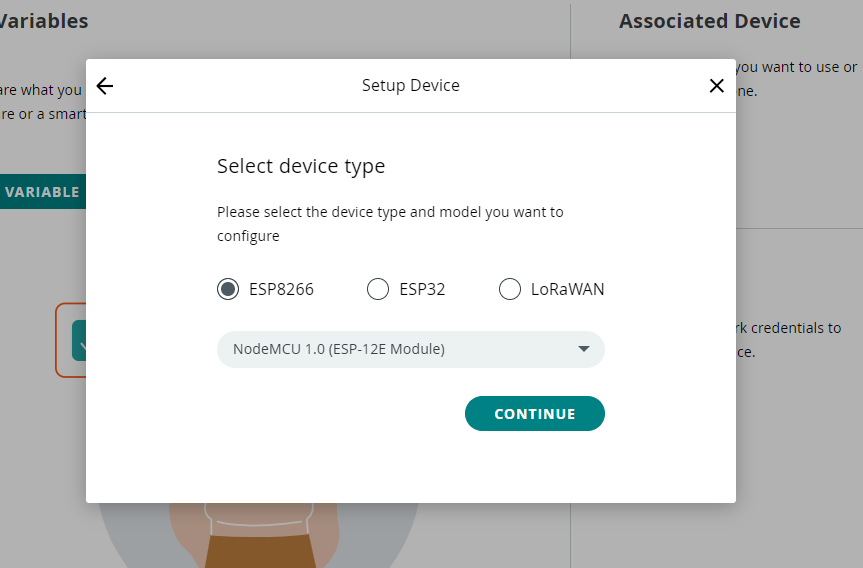
Step 4: Select you device that you are using. In this, I am using ESP8266 nodemcu.
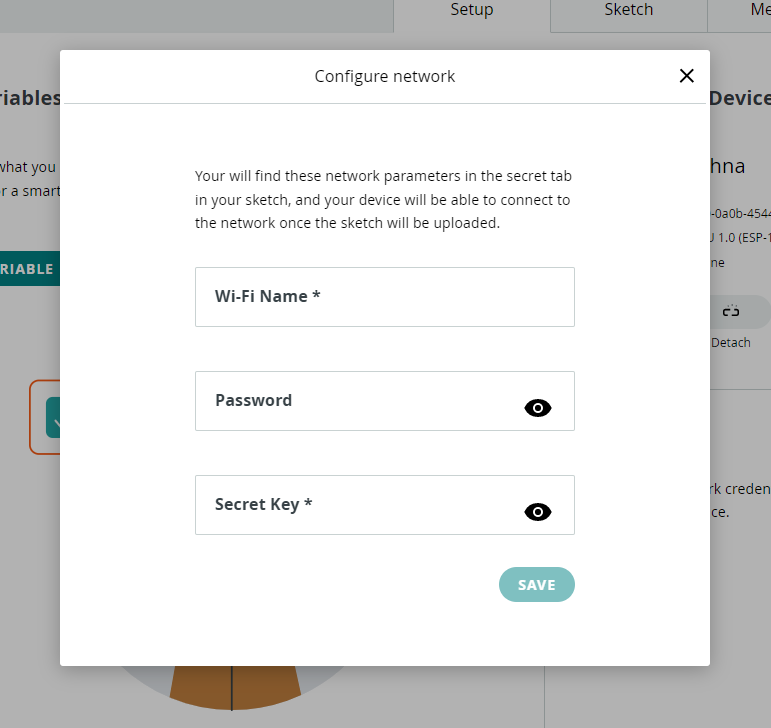
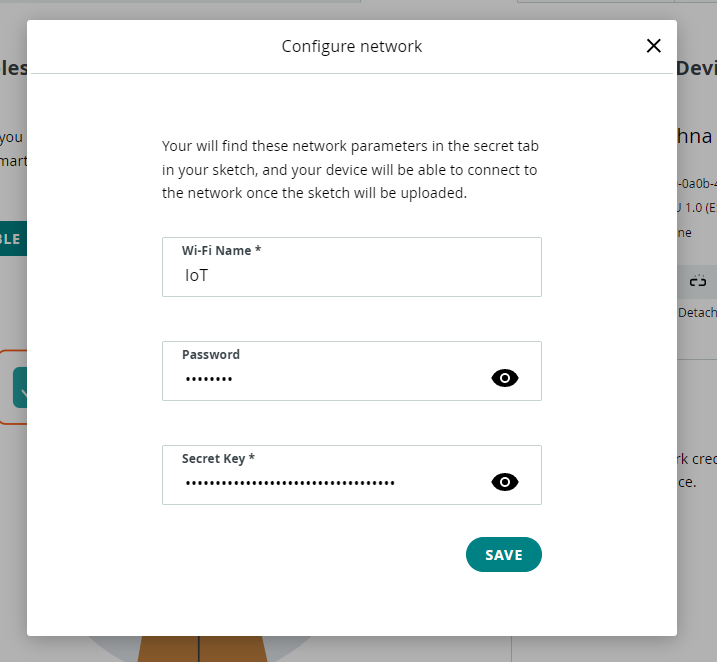
Step 5: Enter the wifi credentials through which you are giving internet to microcontroller module. After entering the detail you have setup your IoT cloud.
Controlling ESP8266/ESP32 via IoT
Step 1: Setup the IoT cloud as shown above.
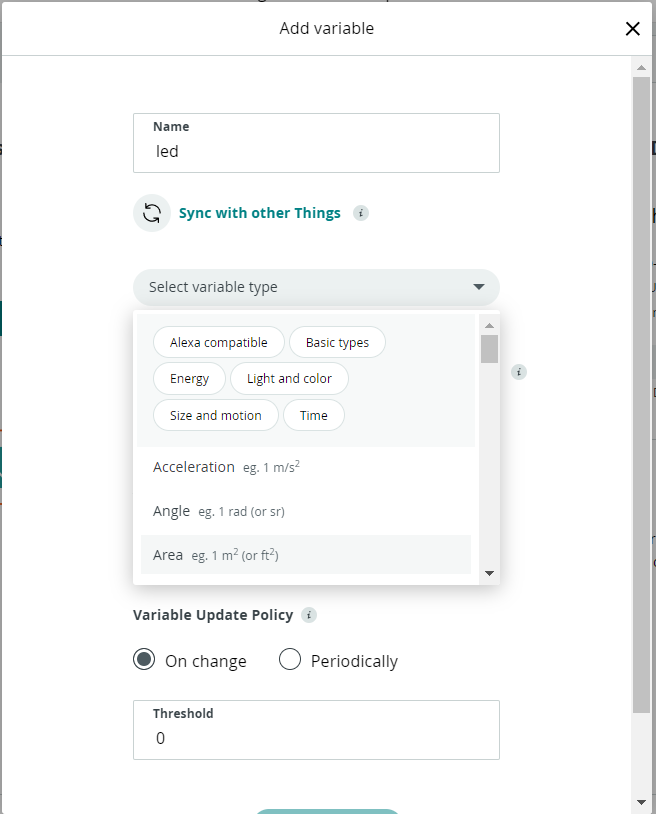
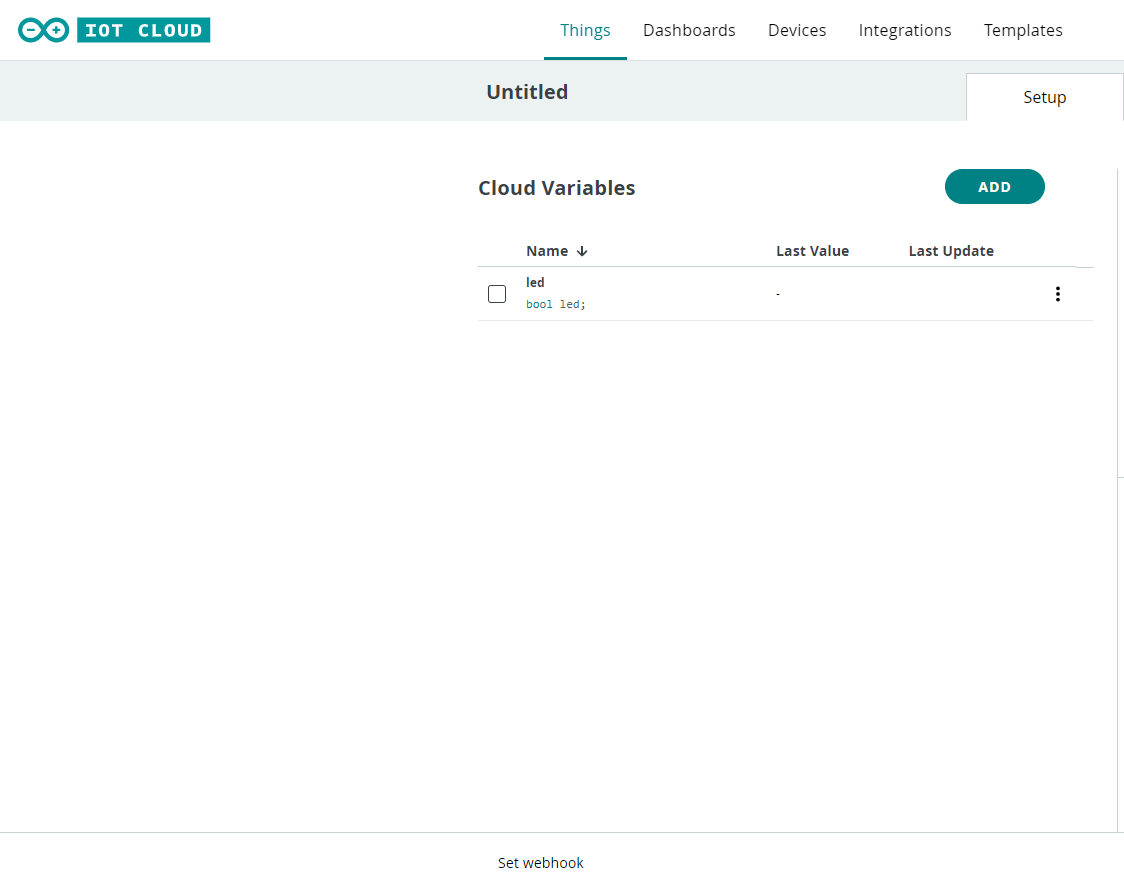
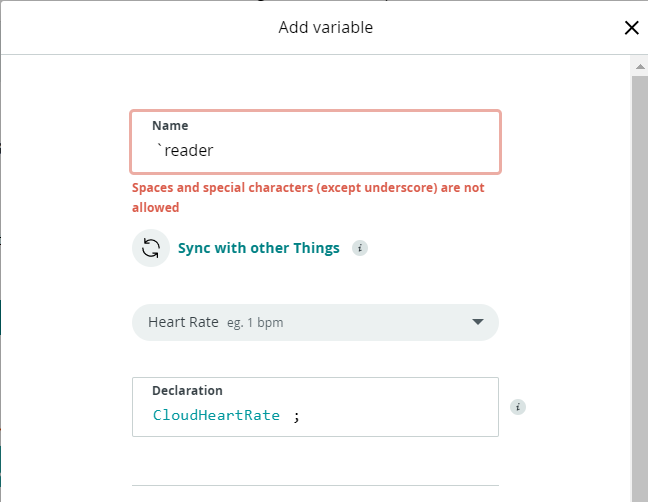
Step 2: Create a variable in Arduino IoT cloud, as it will help to control wirelessly through internet.
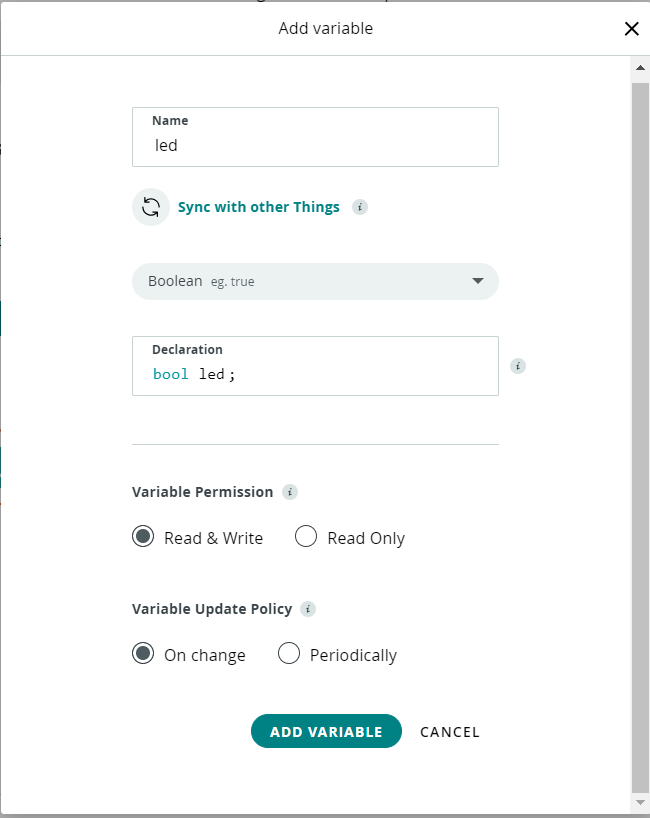
Step 3: You can see that there are various variable. In this, we are controlling an LED so we will use Boolean and give variable permission as read and write to control the LED.
Step 4: After creating variable we will go to code section and create the code for controlling the LED
#include "thingProperties.h"
    #define light D2
    void setup() {
      Serial.begin(9600);
      pinMode(light, OUTPUT);
      delay(1500);
      initProperties();
      ArduinoCloud.begin(ArduinoIoTPreferredConnection);
      setDebugMessageLevel(2);
      ArduinoCloud.printDebugInfo();
    }
    void loop() {
      ArduinoCloud.update();
      // Your code here
    }
    void onLedChange()  {
      if(led == true){
        digitalWrite(light, HIGH);
      }
      else{
        digitalWrite(light, LOW);
      }
    }
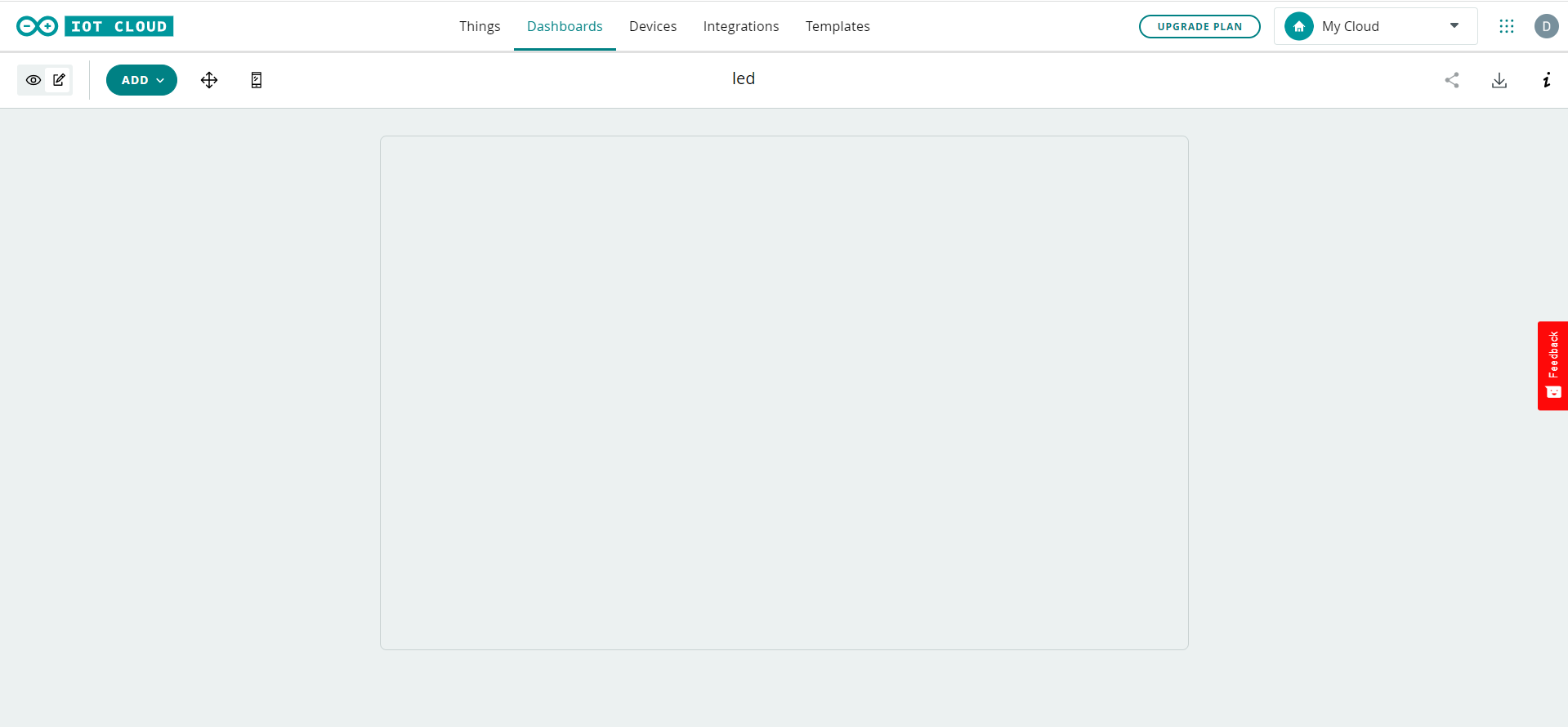
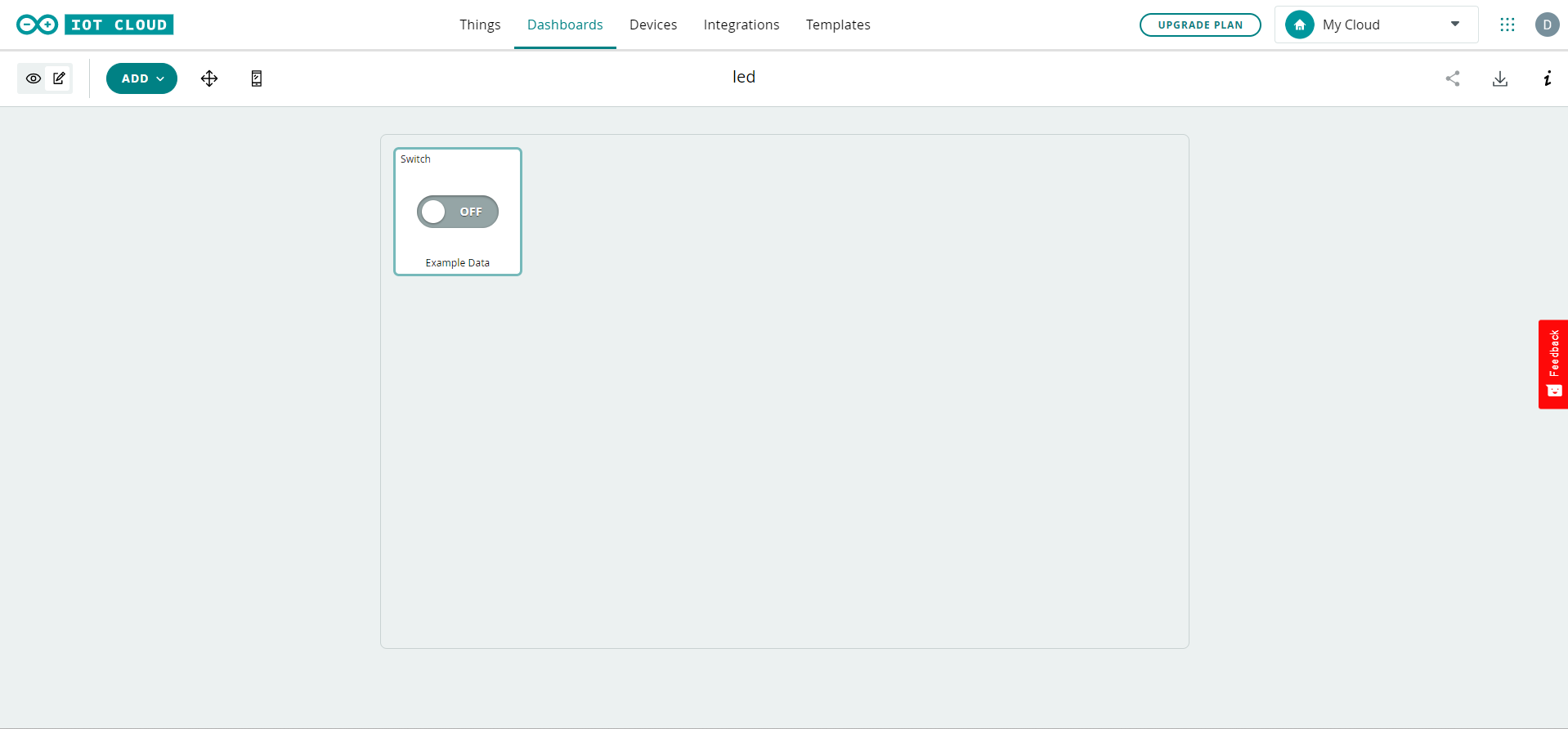
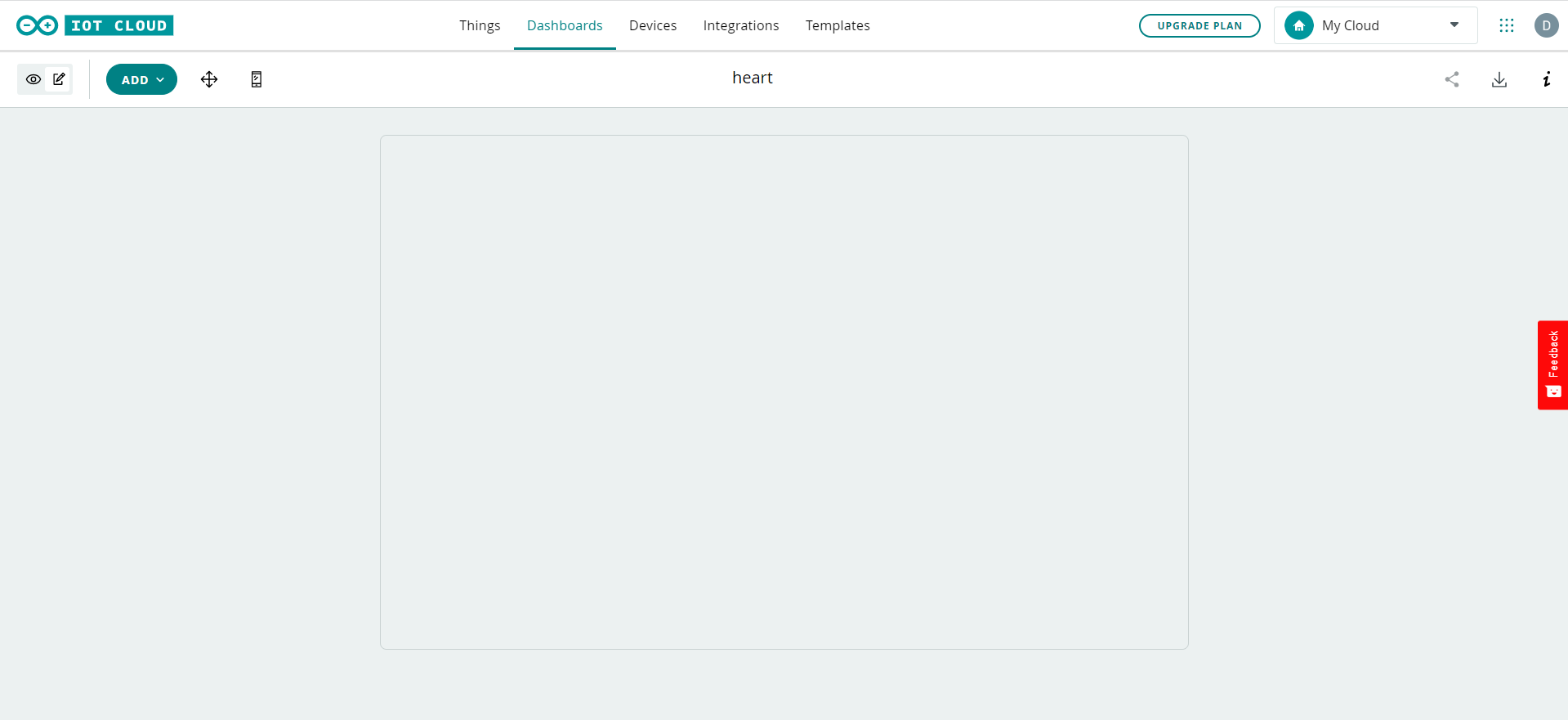
Step 5: After creating the code, go to dashboard section and create a dashboard for controlling the led.
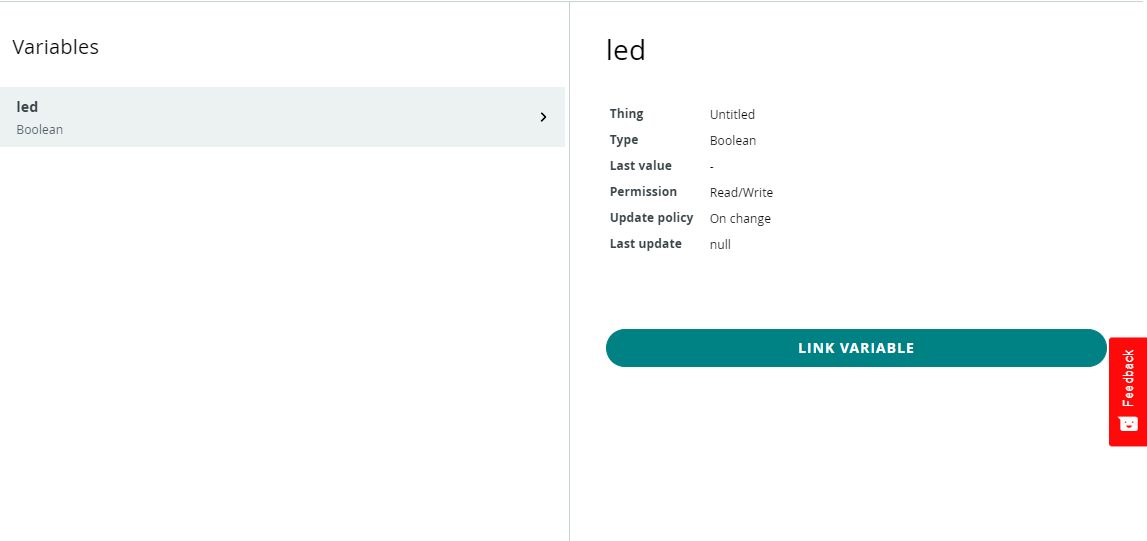
Step 6: Select the switch in the dashboard and bind the led variable created in IoT cloud.
Step 7: After that upload the code and your IoT controlling device is ready. Connnect the hotspot with ESP board with given credentials and your IoT controlling device is ready.
NOTE: You can also download IoT remote app from play store or apple app store to control the device through mobile
Getting Sensor reading via IoT
Step 1 : Setup the IoT cloud as shown above
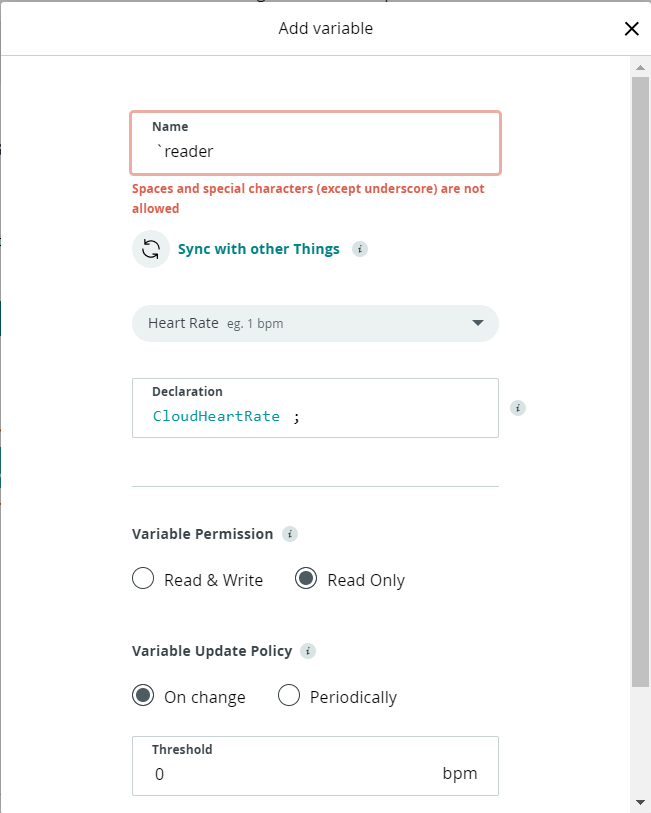
Step 2: Create a variable in Arduino IoT cloud, as it will help to control generate data wirelessly through internet.
Step 3: We are getting the value of heart rate sensor, so we are using heart rate variable and set its permission to read only as we are getting data of the sensor.
Step 4: Write the code in the sketch to get reading in the IoT cloud.
include "thingProperties.h"
    void setup() {
      #define heart D2
      Serial.begin(9600);
      pinMode(heart, INPUT);
      delay(1500);
      initProperties();
      ArduinoCloud.begin(ArduinoIoTPreferredConnection);
      setDebugMessageLevel(2);
      ArduinoCloud.printDebugInfo();
    }
    void loop() {
      ArduinoCloud.update();
      reader = analogRead(heart);
    }
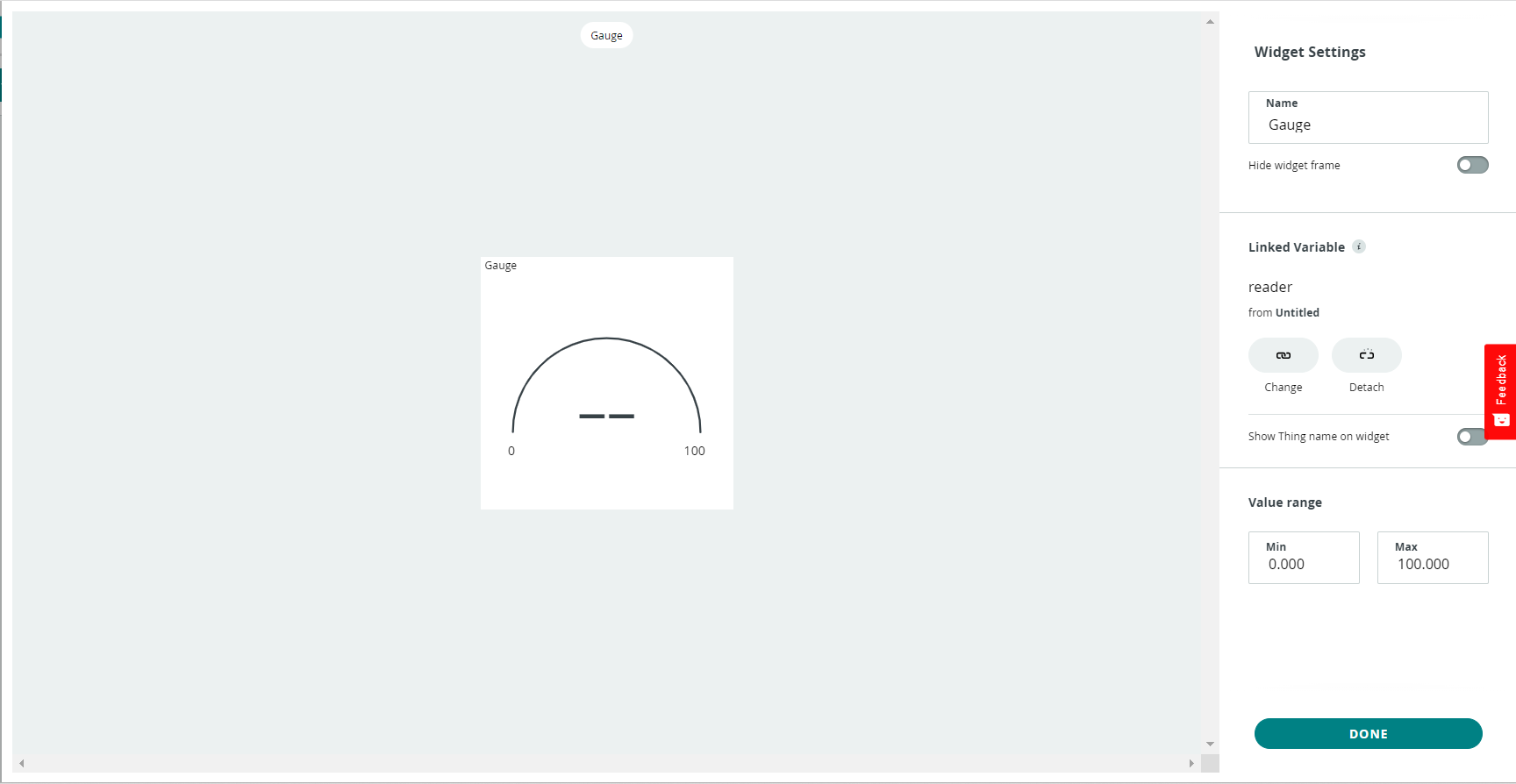
Step 5: After creating the code, go to dashboard section and create a dashboard for getting the value of sensor.
Step 6: Select the gauge in the dashboard and bind the reader variable created in IoT cloud.
Step 7: After that upload the code and your IoT reading device is ready. Connnect the hotspot with ESP board with given credentials and your IoT controlling device is ready.
NOTE:You can also download IoT remote app from play store or apple app store to control the device through mobile.